

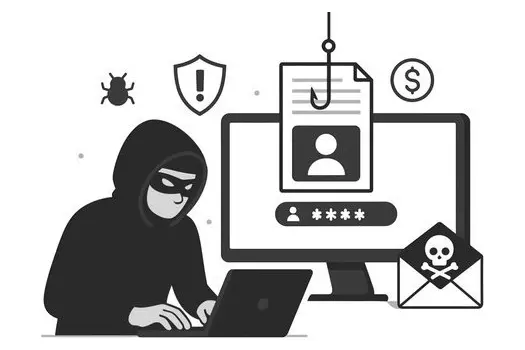
Understanding phishing: types, technologies, and how to stay protected from cybercriminals
Phishing is one of the most common and dangerous cyber threats today, ranging from broad scam emails to highly targeted attacks. Whether you're a newbie or a seasoned cybersecurity pro, understanding the many forms of phishing and how to defend against them is essential.
What is Phishing?
Phishing is a cyber attack that uses social engineering to trick individuals into revealing sensitive information like passwords, bank details, or installing malware. It comes in many flavors, and all of them are dangerous:
- Phishing: Mass emails appearing to be from legitimate sources, trying to lure victims into clicking dangerous links or sharing credentials.
- Spear Phishing: highly targeted, personalized attacks using gathered information to deceive specific individuals, often bypassing spam filters.
- Smishing: SMS or text message phishing, where attackers send fake messages pretending to be from trusted entities to steal data or install malware.
- Voice phishing (known as Vishing) via phone calls, where scammers impersonate trusted representatives to extract information or install malicious software.
Technologies used by criminals
Cybercriminals behind phishing attacks leverage multiple technologies and methods:
- Social Engineering: using personal or organizational data to craft believable messages that exploit trust.
- Spoofing & impersonation: faking sender addresses or phone IDs to appear legitimate, including CEO impersonation in Business Email Compromise (BEC).
- Fake Websites: Cloned login pages designed to harvest credentials.
- Malware & Ransomware: Delivered via attachments or links to compromise systems.
- Voice and SMS Gateways: For launching vishing and smishing attacks.
How to protect: key warning signs of phishing attacks
Phishing messages (especially emails) have always had the same characteristics. The following alarm bells are valid in ANY CASE, not only for phishing attacks:
- Urgency: Criminals create artificial urgency to pressure you into acting quickly without thinking. Messages claiming "your account will be closed in 24 hours" or "immediate action required" are red flags. Stay calm and DO NOT perform any action hastily.
- Authority: Criminals impersonate authority figures (banks, IT departments, executives, government agencies) to create fear and compliance. They exploit your trust in legitimate organizations. Always wait, think, verify, be careful, and be skeptical of any request, even if it appears to come from someone in power.
- Suspicious links or attachments: Hover over links before clicking to see the actual URL. Be wary of unexpected attachments, especially .exe, .zip, or Office files containing macros.
- Generic greetings: legitimate organizations typically use your name. Greetings like "Dear Customer" or "Dear User" are suspicious.
- Poor grammar and spelling: while sophisticated attacks may be well-written, many phishing attempts contain obvious errors or awkward phrasing. Sometimes messages are translated so badly from another language that you can easily see many mistakes.
- Requests for sensitive information: Legitimate organizations never ask for passwords, credit card numbers, or security codes via email.
- Mismatched or suspicious sender addresses: Check the full email address, not just the display name. Look for slight misspellings (paypa1.com instead of paypal.com).
Remember: when in doubt, contact the organization directly using official contact information you find; never use contact details provided in a suspicious message.
Defense strategies for individuals
Staying safe at home relies on skepticism and strong personal security habits.
1. The verification habit (verify everything)
- Inspect the Source: Always verify the sender's actual email address—not just the display name. Look for subtle misspellings in the domain (e.g.,
micros0ft.cominstead ofmicrosoft.com). - Hover before clicking: before clicking any link, hover your mouse over it (or long-press on mobile) to see the destination URL. If the link URL doesn't match the expected organization's domain, treat it as hostile.
- Never use supplied forms: If an email or text urges you to log in or update payment information, do not click the link. Instead, navigate manually to the legitimate website (e.g., type the URL directly into your browser).
2. Information and Identity Protection
- Be Skeptical of Unsolicited Requests: Never provide passwords, credit card numbers, or other sensitive information in response to emails, texts, or unexpected phone calls. Legitimate organizations and IT staff will never ask you for your password.
- Limit Social Exposure (Pretexting): Be cautious about what you share on social media. Criminals use publicly available information (pictures, location, job history, relationships) to craft highly convincing, personalized spear phishing messages.
3. Essential Security Tools
- Enable Multi-Factor Authentication (MFA/2FA): This is the single most important defense. Enable MFA on every account possible (email, banking, social media, work accounts). Even if a criminal steals your password, they can't log in without the second factor.
- Use a password manager: Generate and store strong, unique passwords for every single online service. Reusing passwords is a massive risk.
- Keep Software Updated: Regularly update your operating system, web browsers, and antivirus software. Updates often contain critical patches that block vulnerabilities exploited by phishing kits.
- Utilize a VPN (If Available): While not a direct anti-phishing tool, a Virtual Private Network encrypts your connection, adding a layer of privacy, especially on public Wi-Fi.
4. Respond and Report
Report Suspicious Messages: Use built-in reporting features in your email client (e.g., "Report Phishing" or "Junk/Spam") to notify your provider. Reporting helps block future attacks for others.
Defense strategies for company workers
Phishing targeting employees often aims for financial gain or proprietary data theft (Business Email Compromise or BEC).
1. Policy and Process Adherence
- Verify Urgent Requests Out-of-Band: If you receive an urgent request from a supervisor or executive—especially one involving wire transfers, changing vendor payment details, or handing over confidential data—always verify it using a secondary, trusted channel (e.g., call the person on a known, internal phone number, or start a new chat message). Never reply directly to the suspicious email.
- Utilize Company Security Tools: Make sure you are using mandated corporate security solutions, such as Secure Email Gateways (SEG) and Endpoint Detection and Response (EDR) software.
- Follow Cybersecurity Policies: Strictly adhere to all company security policies regarding data handling, remote access, and device usage.
2. Human Firewall and Training
- Regular awareness training: Actively participate in all required security awareness training. Recognize common phishing tactics like urgency, fear, or requests for secrecy.
- Prompt Incident reporting: If you click on a suspicious link or believe you have accidentally shared information, report the incident immediately to the IT or Security team. Time is critical to containing a breach.
3. Access Control
- Adopt a zero-trust mindset: Recognize that internal security is never guaranteed. Always verify identity, and operate under the principle that no user, device, or system should be trusted by default.
- Password Management: Use the company-provided password manager to ensure all work passwords are strong and unique across applications.
Anti-phishing software
Various anti-phishing software can help users protect against every kind of phishing:
- Antivirus: from Windows Defender to freeware anti-viruses to more complex solutions. An anti-virus is an essential software, especially for Windows users
- Anti-spam: included in almost every modern email provider, anti-spam is still essential to filter unwanted and dangerous emails.
- Authentication solutions like Webauthn.io, Mult-factor authentication, and many other
Advanced technologies to defend and report
- Secure email gateways (SEG): Filter phishing emails.
- Endpoint detection and response (EDR): Monitor endpoints for suspicious activity.
- Threat intelligence platforms: Real-time data on phishing threats.
- AI and Machine Learning: Detect phishing patterns and zero-day attacks.
- Incident response automation: Quarantine suspicious emails, alert teams.
- Reporting Tools: Use built-in email/client features to report phishing.
The most popular phishing attacks
- Twitter Bitcoin scam (2020): attackers used phone-based phishing (vishing) to compromise Twitter employees and gain access to high-profile accounts like Barack Obama, Elon Musk, and Bill Gates, which were then used to promote a Bitcoin scam.
- Democratic National Committee (2016): Spear-phishing emails disguised as Google security alerts targeted DNC officials. When staffers clicked on malicious links, attackers gained access to thousands of emails that were later leaked during the presidential election.
- Sony Pictures (2014) employees received phishing emails that appeared to come from Apple, asking them to verify their accounts. This attack was part of a larger breach that leaked confidential data, unreleased films, and embarrassing internal communications.
- Target data breach (2013): phishing emails targeted a third-party HVAC vendor with access to Target's network. This led to the theft of 40 million credit card numbers and 70 million customer records during the holiday shopping season.
- Google and Facebook (2013-2015) A Lithuanian scammer named Evaldas Rimasauskas impersonated a legitimate computer manufacturer (Quanta Computer) and sent fake invoices to Google and Facebook. The companies paid out over $100 million combined before the fraud was discovered.
- RSA Security Breach (2011) Attackers sent phishing emails to RSA employees with an Excel attachment containing malware. This breach compromised RSA's SecurID two-factor authentication tokens, affecting millions of users and leading to secondary attacks on defense contractors.
By combining vigilance, training, and advanced technologies, individuals and organizations can significantly reduce the risk of falling victim to phishing and its sophisticated variants.