TL;DR
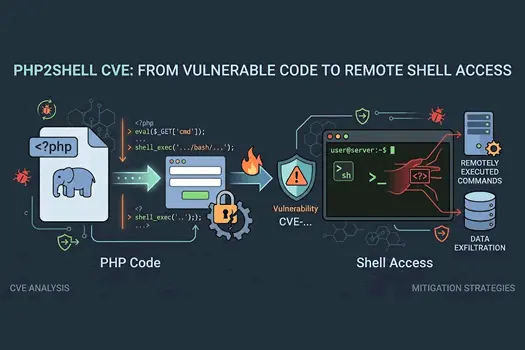
- PHP2Shell is the name for two critical PHP runtime flaws, CVE-2026-109618 and CVE-2026-109619, both rated 9.2 under CVSS v4.0. Each can allow remote code execution (RCE).
- No login is required. The bugs sit in PHP's own request handling, so your application code, framework, and WordPress plugins don't stop them.
- Patch first. The only complete fix is updating to PHP 8.5.12, 8.4.27, 8.3.36, or 8.2.35. Configuration changes are temporary mitigations only.
- Check for compromise after patching. Closing the hole doesn't remove a backdoor an attacker already planted.
Introduction
Most PHP security incidents start in your code: an unsanitized input, a forgotten file upload, a vulnerable plugin. PHP2Shell is different. The flaw is in the interpreter that runs your code, so a perfectly written application can still be exposed.
On October 21, 2026, the PHP project published fixes and advisories for two critical vulnerabilities. Within hours, security teams worldwide were scrambling. Some European organizations, including national cyber agencies, took websites offline as a precaution.
This guide covers what PHP2Shell is, who found it, how each vulnerability works at a conceptual level, how to check your exposure, how to patch, and how to harden your environment while you work through the backlog.
What is PHP2Shell?
PHP2Shell is the collective name for two vulnerabilities in PHP's internal memory and request handling:
| CVE | Root cause | Impact |
|---|
| CVE-2026-109618 | Out-of-memory (OOM) handling interrupts PHP while request data is only partially initialized | Remote code execution |
| CVE-2026-109619 | Internal state outlives the memory it depends on (a use-after-free condition) | Remote code execution |
Both are pre-authentication. The request is processed before any application code runs, which is why it's so dangerous. Reports describe a single crafted HTTP request as sufficient in some configurations, with confirmed attack paths involving Apache mod_php and PHP-FPM.
Conceptual overview of the Request Lifecycle
Client HTTP request
        │
        ▼
Web server (Apache / Nginx)
        │
        ▼
PHP engine: parses headers, body, multipart data   ◄── PHP2Shell lives here
        │
        ▼
Application code (your framework, WordPress, etc.)
        │
        ▼
Response
Who discovered PHP2Shell?
Attribution differs across sources, so here is what's documented:
- Calif, an infosec consulting firm, is credited with discovering the flaws in one major security outlet's coverage.
- watchTowr published an analysis stating it could reproduce both vulnerabilities.
- The PHP project published the fixes and the security advisory on October 21, 2026.
Responsible disclosure normally means a tested patch is ready before details go public. In this case, details leaked before the patch was available, which compressed the window for defenders. Treat the attribution above as a starting point and verify it against the PHP security advisory before citing it formally.
Who is affected?
Every PHP installation that serves web requests is potentially affected, including:
Setups using mod_php appear to face the greatest risk. Your exposure is highest when a PHP runtime accepts requests from untrusted networks. CI runners and developer machines that never serve web traffic are lower risk, but they should still be patched.
Common misconception: Your app being "secure" doesn't protect you. PHP2Shell runs before your code does.
How to check your PHP version
1. Check the CLI version
php -v
Compare the output against the fixed releases: 8.5.12, 8.4.27, 8.3.36, and 8.2.35. Anything lower on those branches is vulnerable.
2. Check the version the web server actually runs
The CLI and the web runtime can differ. Create a temporary file, load it through your browser, then delete it immediately:
<?php
// phpinfo-check.php: DELETE after use. Never leave this on a server.
echo "PHP version: " . PHP_VERSION . PHP_EOL;
echo "SAPI: " . PHP_SAPI . PHP_EOL;
3. Script a fleet-wide check
This script flags PHP versions below the fixed releases for each branch. Adjust it for your environment, and for EOL branches check your distribution's backport status instead.
<?php
/**
 * php2shell-version-check.php
 * Flags PHP runtimes below the fixed releases for CVE-2026-109618 / CVE-2026-109619.
 * Run with: php php2shell-version-check.php
 *
 * NOTE: Distributions often backport fixes without changing the version number.
 * A "vulnerable" result here means "verify against your package changelog," not
 * necessarily "confirmed exploitable."
 */

$fixedVersions = [
    '8.5' => '8.5.12',
    '8.4' => '8.4.27',
    '8.3' => '8.3.36',
    '8.2' => '8.2.35',
];

$current = PHP_VERSION;
$branch  = PHP_MAJOR_VERSION . '.' . PHP_MINOR_VERSION;

if (!isset($fixedVersions[$branch])) {
    echo "[WARN] Branch {$branch} has no upstream fix listed here. ";
    echo "Check PHP's advisory for backport branches.\n";
    exit(2);
}

$required = $fixedVersions[$branch];

if (version_compare($current, $required, '>=')) {
    echo "[OK] PHP {$current} meets the fixed version {$required}.\n";
    exit(0);
}

echo "[VULNERABLE] PHP {$current} is below fixed version {$required}.\n";
echo "Action: update PHP or install your distribution's security update.\n";
exit(1);
4. Verify distribution packages
If PHP came from your Linux distribution, the version string may not reveal the fix. Check the changelog for the CVE IDs:
# Debian / Ubuntu
zgrep -E "CVE-2026-10961[89]" /usr/share/doc/php*-common/changelog.Debian.gz

# RHEL / Fedora / CentOS
rpm -q --changelog php-common | grep -E "CVE-2026-10961[89]"
How to patch
Option A: update through your package manager
# Ubuntu / Debian
sudo apt update && sudo apt install --only-upgrade php8.3 php8.3-fpm php8.3-common
sudo systemctl restart php8.3-fpm
sudo systemctl restart apache2   # if using mod_php

# RHEL / AlmaLinux / Rocky
sudo dnf update php\*
sudo systemctl restart php-fpm httpd
Adjust package names to your PHP version. Restarting the workers matters. A running process keeps the old code loaded until it restarts.
Option B: update Docker images
Pin an exact patched tag rather than a floating one:
# Before
FROM php:8.3-fpm

# After: pin to the patched release
FROM php:8.3.36-fpm
Then rebuild and redeploy. Rebuilding with a cached base image can silently keep the old runtime, so use --no-cache or pull explicitly:
docker build --pull --no-cache -t myapp:php2shell-fix .
Option C: build from source for EOL branches
For PHP 7.4, 8.0, or 8.1, the PHP project has published minimal source backports. Apply them to the matching branch, then rebuild with your existing configure options. This path is for teams that build PHP themselves. Test thoroughly, because you own the build.
Temporary mitigations (when you can't patch right now)
Mitigations reduce exposure. They do not fix the vulnerability. Use them only while you're scheduling the upgrade.
Settings from the PHP advisory
| Setting | Targets | Notes |
|---|
memory_limit = -1 | CVE-2026-109618 | Removes the controllable memory-limit failure. Has side effects; see below. |
post_max_size = 8M (or 32M if uploads are needed) | CVE-2026-109618 | Keeps request bodies small. |
upload_max_filesize below post_max_size | CVE-2026-109618 | Keeps individual uploads small. |
session.upload_progress.enabled = 0 | CVE-2026-109619 | Blocks confirmed paths only. Upload progress display stops working. |
fatal_error_backtraces = 0 (PHP 8.5) | CVE-2026-109619 | Blocks the confirmed fatal backtrace path only. |
Apply them correctly
These settings belong in php.ini, the PHP-FPM pool configuration, or the Apache/Nginx PHP configuration. Setting them with ini_set() at runtime or through a .user.ini file may not work for this purpose, so verify after applying:
<?php
// verify-mitigations.php: DELETE after use.
$checks = [
    'memory_limit'                      => ini_get('memory_limit'),
    'post_max_size'                     => ini_get('post_max_size'),
    'upload_max_filesize'               => ini_get('upload_max_filesize'),
    'session.upload_progress.enabled'   => ini_get('session.upload_progress.enabled'),
    'fatal_error_backtraces'            => ini_get('fatal_error_backtraces'),
];

foreach ($checks as $setting => $value) {
    printf("%-36s %s\n", $setting, var_export($value, true));
}
Add an edge-level size cap
Your web server can enforce a request size limit before PHP sees the request. This is a useful complementary layer:
# nginx: cap request body size at the edge
server {
    client_max_body_size 8m;   # use 32m only if uploads are required
    # ...
}
# Apache: cap request body size
LimitRequestBody 8388608   # 8 MB in bytes
Don't rely on a WAF
Some teams will try to block PHP2Shell with a web application firewall. Don't treat that as a fix. Signature-based filtering can be bypassed by variations of the same flaw, and a WAF cannot patch the interpreter. Use it as one layer in defense in depth, not as your mitigation.
Real-World use cases and scenarios
Scenario 1: The shared hosting provider. A hosting company runs hundreds of PHP sites on shared mod_php servers. One unpatched server becomes a pivot point across customer accounts. The response plan has to cover the whole fleet, not just the company's own sites.
Scenario 2: The WordPress agency. An agency maintains 80 client sites. Every site is at risk regardless of how well its plugins are audited, because the vulnerability is in the runtime. The fix is a host-level PHP upgrade, coordinated across clients, followed by a compromise check on each site.
Scenario 3: The government or public-sector site. Some national agencies took sites offline while patches were applied. For a public service, taking the site down briefly is often cheaper than running an unpatched system. Build that decision into your incident playbook before you need it.
Scenario 4: The Dockerized microservice. A team pinned php:8.3-fpm months ago and assumed "latest" was tracking patches. It wasn't. Pinning exact versions made the vulnerable image easy to find, and rebuilding with --pull fixed it.
Common pitfalls and how to avoid them
1. Assuming apt upgrade is enough. Run the version and changelog checks above. Some systems hold back PHP packages, and some backports keep the old version string.
2. Patching the package but not restarting workers. PHP-FPM children and Apache processes keep old code in memory until restarted. Restart them and verify the running version through the web server, not just the CLI.
3. Setting memory_limit = -1 without guardrails. Removing the memory limit lets any runaway script consume all available RAM, which can cause a denial of service. If you use this mitigation, pair it with:
; php-fpm pool configuration
request_terminate_timeout = 30s
pm.max_children = 20
And set container or cgroup memory limits at the OS level so one process can't take down the host.
4. Assuming a web application firewall protects you. It may reduce noise, but it isn't a patch.
5. Forgetting non-web PHP. Cron jobs, queue workers, and CLI tools run PHP too. Patch them on the same schedule, even if they're lower risk.
6. Patching and moving on. If your servers were exposed while unpatched, an attacker may have already gained access. Patching closes the door but doesn't remove a backdoor. Investigate.
After patching: check for compromise
Patching is necessary but not sufficient. Once your systems are updated, look for signs of intrusion:
- Unexpected files in web-writable directories, especially
.php files with obfuscated content - New or modified cron jobs and systemd services
- Unknown outbound network connections from the web server user
- Unfamiliar admin accounts in CMS platforms
- Web server access logs showing unusual requests to uncommon paths or with abnormal body sizes
# Find recently modified PHP files under your web root (last 7 days)
find /var/www -name "*.php" -mtime -7 -ls

# Check for unexpected scheduled tasks
crontab -l -u www-data
ls -la /etc/cron.d/
If you find evidence of compromise, follow your incident response process. Restoring from a known-good backup is often safer than cleaning a live system.
Performance considerations
Security changes can affect performance, so measure before and after:
memory_limit = -1 can increase memory usage dramatically under load. Monitor RSS per PHP-FPM worker and set OS-level limits.- Lowering
post_max_size breaks legitimate large uploads. Move file uploads to a dedicated endpoint with its own limit, or use direct-to-storage uploads (for example, pre-signed URLs to object storage). - Disabling
session.upload_progress has negligible performance impact, since it only removes the progress display. - Patching PHP itself is generally a small release with no meaningful performance regression. Still, run your load tests after an upgrade, especially if you're moving across minor versions.
Conclusion and key takeaways
PHP2Shell is a reminder that the most dangerous vulnerabilities often live below your application code. The remediation path is clear, even if the work is tedious:
- Inventory every PHP runtime, including CLI, containers, and EOL branches.
- Patch to 8.5.12, 8.4.27, 8.3.36, or 8.2.35, or apply your distribution's backport.
- Mitigate temporarily if you must, and verify each setting actually took effect.
- Restart every worker and confirm the running version through the web server.
- Investigate for compromise before declaring the incident closed.
Your next step: Run the version check script above on every server you manage today. Then bookmark the PHP project's security advisory and subscribe to its release announcements so you're not learning about the next one from a news headline.
Have you started your PHP2Shell audit? Share your approach in the comments, or tell us which hosting setup you're worried about.
FAQ
- What is PHP2Shell?
PHP2Shell is the collective name for CVE-2026-109618 and CVE-2026-109619, two critical PHP runtime vulnerabilities that can allow remote code execution on web servers without authentication. - Which PHP versions are fixed?
The fixed releases are PHP 8.5.12, 8.4.27, 8.3.36, and 8.2.35. For older branches, check the PHP project's advisory for backport guidance, and check your Linux distribution's changelog, since fixes may be backported without a version change. - Can a web application firewall stop PHP2Shell?
Not reliably. A WAF can't patch the PHP interpreter, and signature-based filtering can be evaded. Patch the runtime, and treat a WAF as an additional layer only. - Do I need to patch if I only use PHP for development?
Development and CI machines that don't serve web traffic have lower exposure, but they should still be updated. Any PHP runtime reachable from untrusted networks is a priority. - Is turning off
session.upload_progress enough?
No. It mitigates one of the two vulnerabilities on its specific paths. It does not fix either CVE, so you still need to update PHP.
Editor's notes (remove before publishing)
- Verify against the primary source. I could not fetch PHP's own advisory directly. Every technical claim above comes from secondary coverage. Confirm the fixed versions, mitigation settings, and CVE details against php.net's advisory before publishing.
- Exploitation status conflicts across sources. Some outlets describe active exploitation and ransomware use. Others state that no exploitation had been reported as of October 21 and that no public exploit code was known. Update the post with whatever is confirmed on the day you publish, and attribute claims about exploitation specifically.
- Discovery attribution is thin. Calif is credited in one outlet's coverage. Confirm before naming them as the discoverers.
- EOL branches are unclear. One source says only 8.2 and later are fixed. Another references source backports for 7.4, 8.0, and 8.1. Verify before publishing the EOL guidance.
- Mitigation caveats. Several sources say the
ini_set() and .user.ini approach doesn't work for these settings. I've included that warning, but confirm it in the advisory. - Sources consulted: Dark Reading, Help Net Security, ThreatLocker, Techzine, Itdaily, and coverage from HeroDevs, Konfirmity, and MassiveGrid. Link the primary advisory in the final post.